Astra.Examples.GettingStarted Class Reference
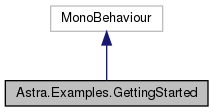
Inheritance diagram for Astra.Examples.GettingStarted:
Public Attributes | |
| Button | ButtonInitialize |
| Clicking this button will create our base astra gameobject, we need this in all scenes You can skip this by having it in your scene already | |
| Text | InitializeText |
| Used to show when the Astra system has been initialized | |
| Text | AvatarText |
| Used to display the avatar info | |
| Button | ButtonSearchAvatars |
| Finds avatars and prints list | |
| Button | ButtonSearchFigures |
| Finds figures and prints list | |
| Button | ButtonSearchCloth |
| Finds cloth items compatible with the current figure | |
| Button | ButtonSearchDecals |
| Finds decals compatible with the current figure | |
| Button | ButtonSearchMorphable |
| Finds compatible morphables | |
| Text | LastSearchAssetsText |
| Used when displaying info about searching figures | |
| Button | ButtonLoadNextAsset |
| Loads the next asset from the search results | |
| Text | LoadNextAssetText |
| Displays info when loading an asset from a search | |
| Button | ButtonLoadNextAvatar |
| Loads a complete avatar | |
| Text | AvatarLoadText |
| Info about the loading avatar | |
| Button | ButtonClearItems |
| Removes items on the avatar except the figure | |
| TextAsset | AppConfig |
| Drag your config file into this slot (or load in code) | |
| Helpers.ProgressBar | ProgressBar |
Protected Member Functions | |
| void | BindEvents () |
| Helper to link various ui elements to their actions | |
The documentation for this class was generated from the following file:
- Assets/Astra/Examples/GettingStarted/GettingStarted.cs