Astra.Examples.Precache Class Reference
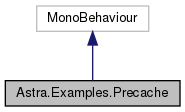
Inheritance diagram for Astra.Examples.Precache:
Public Attributes | |
| Button | ClearCacheButton |
| Clicking this button will delete the cache file. This is not available when Astra operations have been used after starting it up. | |
| Button | CopyCacheButton |
| Clicking this button will copy over the precache file. This is not available when Astra operations have been used after starting it up. | |
| Button | StartAstraButton |
| Starts up Astra. Note that you can still do Clear Cache and Copy Cache operations as long as you don't run other Astra operations first. | |
| Button | LoadAvatarButton |
| Loads an avatar. If there is a cache, this operation will not take long. If there is no cache, it will take longer | |
| Text | CacheStatusText |
| Text field that shows the current cache status | |
| TextAsset | AppConfig |
| Configuration for this Astra example | |
| Helpers.ProgressBar | ProgressBar |
| Progress bar to show loading progress | |
Protected Member Functions | |
| void | BindEvents () |
| Helper to link various ui elements to their actions | |
The documentation for this class was generated from the following file:
- Assets/Astra/Examples/Precache/Precache.cs